Your Salesforce Data Is Full of Duplicates.
Let's Fix That.
Find, merge, and prevent duplicate records in Salesforce — automatically, safely, and without writing a single line of code.
No credit card required · 10-day free trial · AppExchange certified
Trusted by teams at
Trusted by Salesforce Admins Everywhere
"Once you have your merge and convert rules configured, you can leave it to do its thing. It's the perfect Set & Forget solution."
"It cut merging down from several minutes to only seconds. It supports automerging, unmerging, and you don't have to pick every individual field manually."
"The only de-dupe tool your team needs! The duplicate detection is incredibly accurate and it's been a game-changer for keeping our data clean and reliable."
"Now that I have the right filters and rules running, it's saving me a ton of time. When I needed support, I got an efficient response in a matter of minutes. Impressed."
"Cloudingo is built into all of our prospecting workflows and intake engines. In my industry there are no shortage of duplicate records — this is Critical MarTech for B2B."
"Couldn't imagine not using a tool like this. Simple to get started but built to do really cool things — and the impact on data cleanliness is bigger than you'd expect."
Speak to a data expert.
Book a 30-minute chat with a Cloudingo data expert to see how we can help you clean, dedupe, and better manage your Salesforce data. No sales pitch—just a helpful conversation.
Already a customer? For account support, please email support@cloudingo.com .
Duplicate Data Is Costing You More Than You Think
Every duplicate record in Salesforce is a crack in your foundation. Bad data compounds fast — and quietly.
- Sales reps work the same lead twice — wasting time and annoying prospects
- Marketing sends the same person three emails in one week
- Reports are skewed because contacts are split across duplicate accounts
- Revenue forecasts are wrong before the quarter even starts
- Salesforce AI features fail when they're built on bad data
One Platform. Every Data Quality Problem Solved.
Cloudingo handles the full lifecycle of Salesforce data quality — from records already in your system to the ones coming in right now.
Find Every Duplicate — Across Every Object
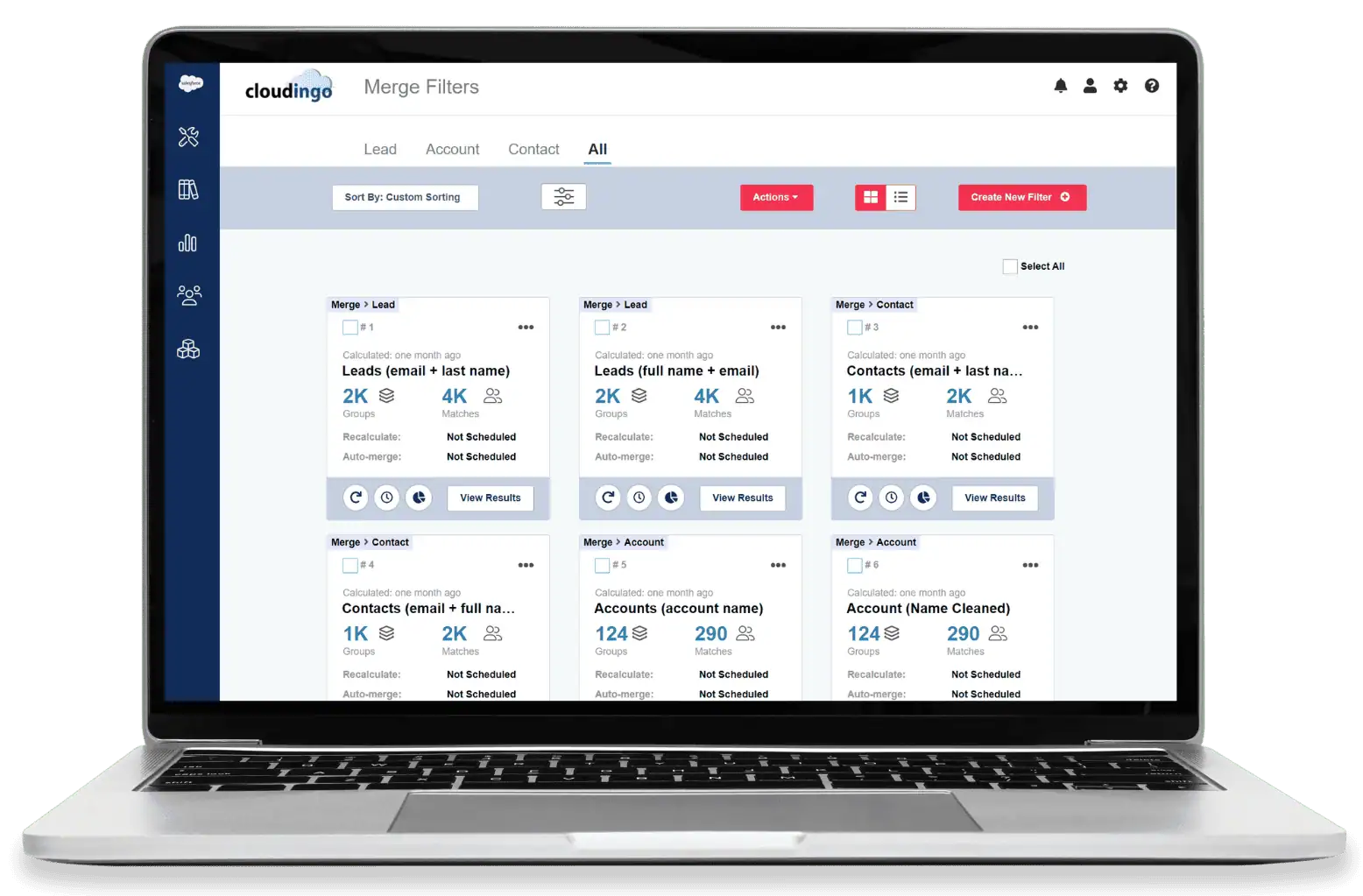
Stop hunting for dupes manually. Cloudingo scans your entire Salesforce org and surfaces duplicates across Leads, Contacts, Accounts, and custom objects.
- Flexible matching rules you control
- Cross-object detection (Lead ↔ Contact, Contact ↔ Account)
- Instant preview before you touch anything
Merge Safely — With a Built-In Safety Net
Cloudingo's Undo & Restore feature means you can roll back any merge, anytime. Merging thousands of records shouldn't keep you up at night.
- Merge in bulk or record by record
- Choose exactly which field values survive
- Restore merged records instantly if something looks off
Stop Duplicates Before They Start
Cloudingo's entry-point prevention flags duplicates the moment a record is created — so your team works with clean data from day one.
- Real-time duplicate detection at entry
- Works across web-to-lead, manual entry, and imports
- No custom code required
Automate Ongoing Cleanup
Set up automated jobs that run on a schedule. Your data stays clean without anyone having to think about it.
- Build jobs once, run them automatically
- Apply to new records, imports, or full database
- Full audit trail so you always know what changed
See Cloudingo in Action
In just a few minutes, you'll see exactly how Cloudingo finds duplicates in your Salesforce org, merges them safely, and keeps your data clean going forward — no code, no risk, no guesswork.
Build your own matching logic — no coding, no guesswork. Fuzzy matching handles spelling variations and typos automatically.
Preview every merge before it happens. Choose which field values to keep, field by field.
Set it and forget it.
Salesforce's Built-In Rules Are a Start.
Cloudingo Is the Finish Line.
Native duplicate rules help with basic prevention. Cloudingo handles the real scale and complexity of enterprise Salesforce data.
| Capability | Salesforce Native | Cloudingo |
|---|---|---|
| Cross-object deduplication | ||
| Bulk merge automation | ||
| Undo & Restore after merging | ||
| Custom flexible matching rules | Limited | Fully customizable |
| No-code admin setup | Partial | Built for admins |
| Scheduled automation jobs | ||
| Fuzzy & phonetic matching |
Native tools enforce rules. Cloudingo actually cleans your data.
Built for Real Problems Salesforce Teams Face Every Day
Before a Campaign Launch
Deduplicate your lead list so no contact receives the same email twice.
After a Data Import
Clean up the mess before bad records spread through your pipeline.
Before Enabling Salesforce AI
Make sure Einstein is working from clean, reliable records — not duplicated noise.
When Reporting Looks Wrong
Trace the root cause back to duplicate accounts and fix it at the source.
After a CRM Merger or Acquisition
Consolidate two messy databases into one clean source of truth — fast.
For Ongoing Data Governance
Automated jobs run on a schedule so cleanup isn't a quarterly fire drill.
Ready to Clean Up Your Salesforce Org?
Choose how you want to get started. No pressure, no hard sell.
Start Free Trial
Get full access for 10 days. Connect your Salesforce sandbox or production org and see your duplicates in minutes.
- No credit card required
- Full feature access
- Setup in under 5 minutes
Watch the Demo
Not ready to connect your org? See exactly how matching, merging, and automation work in a 3-minute walkthrough.
- No account needed
- 3-minute overview
- Real product, real data
Talk to an Expert
Large org, complex data model, or specific questions? Talk to someone who knows Salesforce data inside and out.
- 30-minute call
- Salesforce-native team
- No sales pressure
Questions We Get All the Time
Is it safe to merge records in bulk?
Yes. Every merge is logged. Cloudingo's Undo & Restore feature — available on Professional and Enterprise plans — lets you roll back any merge immediately, with no data loss. Most admins test in a sandbox first, but the safety net is there when you need it.
Do I need coding or developer help to set it up?
No. Cloudingo is built specifically for Salesforce Admins. Everything — matching rules, merge settings, automation jobs — is configured through a point-and-click interface. No Apex, no API calls required.
Will Cloudingo work with my Salesforce org?
Cloudingo works with all major Salesforce editions: Professional, Enterprise, Unlimited, and Developer. It installs directly from the AppExchange and connects to your org in minutes.
Can I preview duplicates before merging anything?
Yes. Cloudingo shows a full preview of every match before any merge happens. You can review field-by-field, set rules for which values survive, and approve merges manually or in bulk — your call.
What objects does Cloudingo support?
Cloudingo works across Leads, Contacts, Accounts, and custom objects. It also supports cross-object deduplication — like matching a Lead against an existing Contact — which Salesforce's native tools don't handle.
What's included in the free trial?
The free trial gives you 10 days of full access — no feature restrictions, no credit card required. You can connect your real Salesforce org or a sandbox and start identifying duplicates immediately.
What does Cloudingo cost after the trial?
Plans start at $2,500/year for the Standard plan. Professional ($6,000/yr) and Enterprise ($10,000/yr) add features like Undo & Restore, real-time merge, custom objects, and more user seats. All plans are priced per Salesforce org — not per user. See full pricing and plan comparison →
What happens to my data during the trial?
Cloudingo reads your Salesforce data to identify duplicates but does not store your records externally. All merges happen inside your Salesforce org. Your data stays in Salesforce — Cloudingo just makes it cleaner.
Your Salesforce Org Deserves Clean Data.
So Does Your Team.
Every day you wait, more duplicates pile up. More reports get skewed. More time gets wasted.
It takes less than 5 minutes to connect Cloudingo and see exactly what you're dealing with.